Lumbar Support & Armrests: Office Chair Comfort Guide
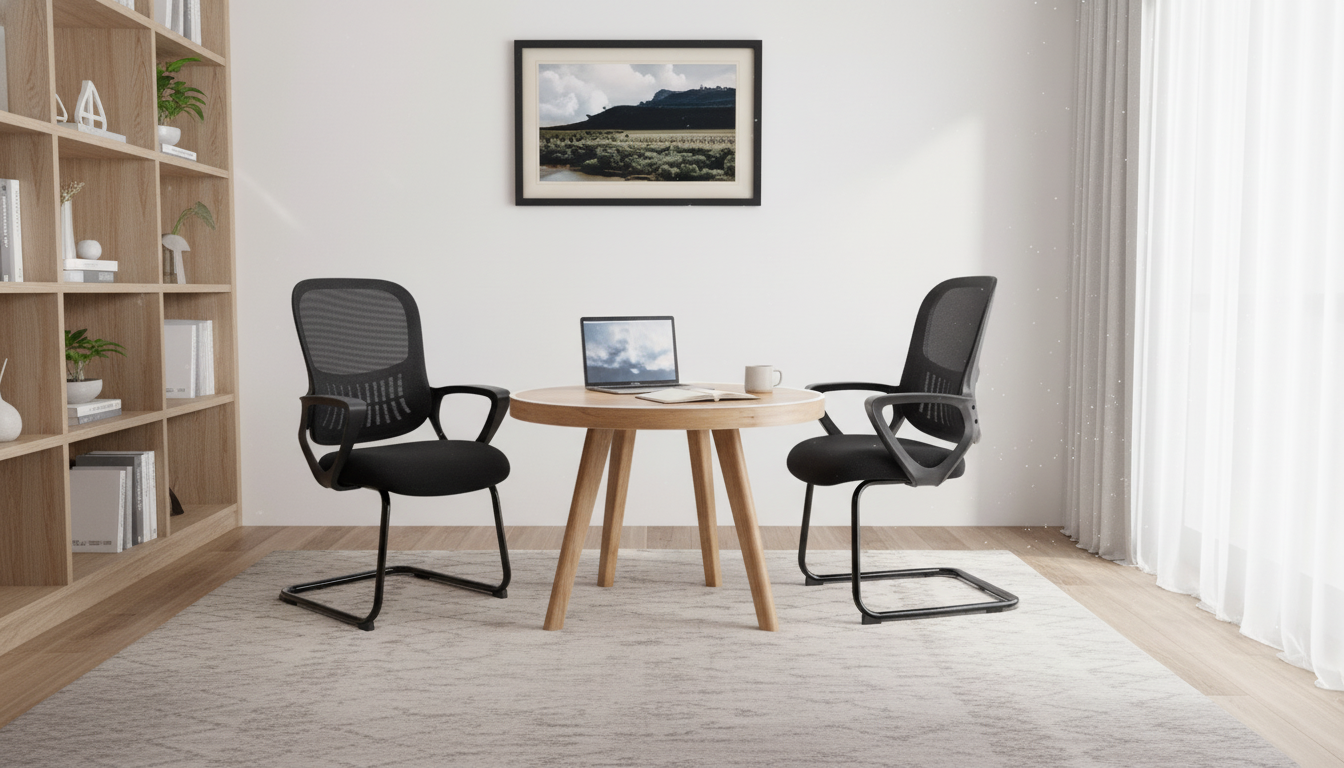
Ergonomic Office Chair Comfort Basics: Lumbar Support and Armrests
A supportive office chair can make long work sessions feel steadier and less fatiguing. The most helpful “everyday ergonomic” features tend to be simple ones you’ll actually use: lumbar support that meets the natural curve of your lower back, and armrests that let your shoulders relax while you type and mouse. This guide walks through why those features matter, how to dial in a comfortable setup, and where a budget-friendly chair like the Ergonomic Office Chair with Lumbar Support and Armrests fits into a typical home-office routine.
Why lumbar support and armrests matter for daily comfort
When you sit for extended stretches, the body tends to drift into a rounded, “collapsed” posture—especially through the lower back. Over time, that slump can leave your back and hips feeling tight, and it often nudges your head forward, increasing strain through the neck and upper shoulders.
- Lumbar support helps stabilize the lower back. A supportive lumbar area encourages a more neutral spine by filling the gap behind your lower back so you’re not hanging on ligaments and soft tissue to stay upright.
- Armrests can reduce shoulder and neck tension. When your forearms have a stable place to rest, your shoulders don’t have to “hold up” your arms during typing, mousing, and reading.
- Support improves endurance. With better contact points (low back + forearms), it’s easier to stay focused without constantly shifting around to find relief.
- Fit matters more than extra padding. A plush seat can feel nice at first, but comfort over hours comes from alignment: the chair should work with your height, your desk setup, and how you move between tasks.
For a deeper overview of workstation ergonomics and musculoskeletal risk factors, see guidance from NIOSH and the OSHA Computer Workstations eTool.
Quick snapshot: chair details at a glance
If you’re upgrading from a dining chair or a backless stool, even basic ergonomic features can make a noticeable difference. The product below is positioned as a straightforward option focused on core comfort elements.
| Item | Details |
|---|---|
| Product | Ergonomic Office Chair with Lumbar Support and Armrests |
| Price | $47.51 USD |
| Availability | In stock |
| Store page | https://sculptori.com/ergonomic-office-chair-with-lumbar-support-and-armrests/ |
| Primary comfort features | Lumbar support; armrests |
Availability can change quickly, so it’s smart to confirm stock status before checkout.
Who this style of chair tends to suit best
Not every workspace needs a highly technical chair with a long list of adjustments. Many people do best with a conventional, no-fuss seat that adds the two big missing pieces from “temporary seating”: lumbar support and armrests.
- Home-office setups that need a straightforward chair with core support elements (lumbar + armrests) for daily tasks like email, spreadsheets, and video calls.
- Students and remote workers looking for a low-cost step up from kitchen chairs, stools, or couches that encourage slouching.
- Light-to-moderate daily use where simple comfort features matter more than advanced adjustability.
- Compact work areas that benefit from a standard office-chair footprint without requiring specialized components.
If your day includes frequent, long sessions at the computer, pairing a more supportive chair with small habit changes (breaks, monitor height, wrist position) often produces bigger comfort gains than chasing “the softest seat.” For stress and tension management between tasks, a short digital reset like Mindful Moments: How Mindfulness Eases Stress and Boosts Your Daily Calm can complement ergonomic improvements—especially if you tend to hold tension in your shoulders or jaw while working.
How to set it up for a more ergonomic sitting position
Even a well-designed chair won’t feel right if it’s set too high, too low, or used perched on the edge. Aim for a position that feels stable, grounded, and easy to maintain.
Seat height: start from the floor up
- Adjust the seat so feet rest flat on the floor and your knees are roughly level with your hips.
- If your desk forces a higher chair height, use a footrest (or a stable box) so your legs don’t dangle—dangling feet can increase pressure behind the thighs.
Back contact: let the chair do the work
Armrest use: support without shrugging
Screen and input devices: reduce reach and craning
- Place the monitor so the top of the screen sits near eye level and about an arm’s length away to limit neck strain (Mayo Clinic offers a clear overview: Office ergonomics: Your how-to guide).
- Keep the keyboard and mouse close to your body so elbows stay near your sides and wrists remain neutral.
Everyday habits that improve comfort (even with a good chair)
If you want a quick, practical calm-down routine for busy days, Breathe, Mama, Breathe: Finding Calm in the Kid-Chaos can be a handy option for short breaks that reset your body and attention.
Care and maintenance for longer-lasting support
FAQ
What is the right way to use lumbar support in an office chair?
Sit with your hips all the way back so the lumbar support contacts the natural inward curve of your lower back. It should feel supportive rather than like a hard push; if it feels off, slight changes to seat height and how far back you’re sitting often fix it.
Should armrests touch the desk while typing?
Generally, no—avoid pressing armrests into the desk because it can restrict movement and lead to awkward wrist angles. Set armrests so your forearms are lightly supported while shoulders stay relaxed and wrists remain neutral.
How often should breaks be taken when sitting for long hours?
A practical rhythm is a brief movement break every 30–60 minutes, plus a longer break every 2–3 hours. Frequent short breaks help reduce stiffness even when your posture and chair setup are solid.
















Leave a comment